Are you struggling to understand how your digital marketing campaigns are performing? Do you spend hours gathering data but still feel unsure about your ROI? Are you a student or professional wondering how to present campaign insights clearly to managers or clients? In today’s data-driven marketing world, relying on instincts alone is no longer enough. Accurate measurement and reporting are essential for smarter decisions and optimized campaigns.
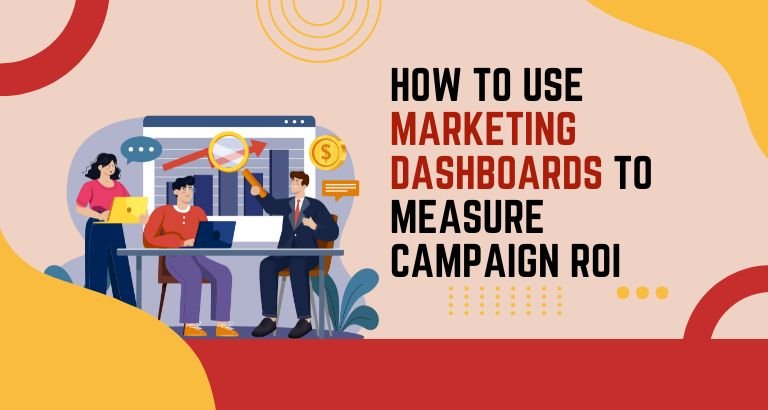
Marketing dashboards provide a solution to these challenges. They consolidate data from multiple platforms, visualize key performance indicators (KPIs), and offer actionable insights at a glance. Whether managing social media marketing, SEO strategies, or paid advertising, dashboards help track progress, identify trends, and make informed decisions quickly.
ThinkPixel’s Digital Marketing Course in Chandigarh equips students and professionals with practical training in building and interpreting dashboards. Learners gain hands-on experience translating raw data into meaningful insights, using tools like HubSpot dashboards, Google Analytics, and content marketing dashboards.
Mastering marketing dashboards is not just for analysts. Students preparing for internships, freelancers managing client campaigns, or professionals aiming for promotions can benefit from learning to track performance efficiently. With ThinkPixel’s guidance, you’ll learn to improve ROI, reduce wastage, and showcase measurable results.
Understanding Marketing Dashboards
A marketing dashboard is a visual interface that consolidates campaign data from multiple sources into one easy-to-understand view. It helps track KPIs, performance metrics, and trends across all marketing channels. Unlike traditional reports that may require hours to analyze, dashboards provide real-time insights, enabling quicker and more effective decision-making.
There are several types of marketing dashboards, each designed for a specific purpose:
- Digital Marketing Dashboard: Integrates SEO, PPC, social media, and analytics data to give a holistic view of campaign performance.
- Advertising Dashboard: Focuses on ad performance metrics such as impressions, click-through rates, conversions, and cost per acquisition.
- Content Marketing Dashboard: Measures content engagement, reach, and the contribution of each content piece to lead generation.
- HubSpot Dashboard: A CRM-integrated dashboard that tracks leads, campaign success, and customer interactions in one place.
Dashboards are particularly useful for students and professionals new to digital marketing. By providing visual insights, they simplify complex analytics, making it easier to interpret campaign performance and communicate results to stakeholders.
Types of Marketing Dashboards & Tools
To make the most of marketing dashboards, it is crucial to understand the tools and platforms commonly used:
- Digital Marketing Dashboard Tools: Tools like Google Analytics, SEMrush, and HubSpot consolidate data across SEO, PPC, and social media. These dashboards allow marketers to monitor traffic sources, conversions, and audience behavior.
- Advertising Dashboards: Platforms like Facebook Ads Manager and Google Ads provide campaign-specific dashboards that track ad performance in real-time. Professionals can monitor CTR, ROI, and optimize budgets accordingly.
- Content Marketing Dashboards: Tools such as HubSpot and Sprout Social help track engagement rates, content reach, and the effectiveness of campaigns across channels.
- Performance & KPI Dashboards: Power BI, Tableau, and Google Data Studio allow advanced marketers to create custom dashboards that monitor specific KPIs, visualize trends, and predict outcomes.
- Marketing Funnel Dashboards: These track the customer journey from awareness to conversion. By visualizing the funnel, marketers can identify bottlenecks and improve lead nurturing strategies.
At ThinkPixel, learners gain practical experience using these dashboards in live campaigns. Through hands-on training, students and professionals learn to customize dashboards, interpret metrics, and make data-driven decisions.
How Marketing Dashboards Help Measure ROI
Measuring ROI is critical for marketers who want to demonstrate the value of their campaigns. Dashboards provide a centralized view of performance metrics that directly impact ROI. Here’s how they help:
- Visualizing KPIs: Marketing dashboards display conversions, engagement rates, website traffic, lead generation, and revenue metrics. This allows students and professionals to identify trends quickly.
- Campaign Optimization: By tracking ad spend, impressions, and conversions, marketers can allocate budgets to high-performing campaigns, reducing wastage.
- Predictive Insights: Advanced dashboards integrated with AI and analytics tools can forecast trends, helping businesses anticipate customer behavior and adjust strategies accordingly.
- Collaboration: Dashboards enable teams to collaborate effectively by sharing real-time updates, highlighting successes, and identifying areas needing improvement.
ThinkPixel’s courses teach learners to measure campaign ROI using dashboards across SEO, PPC, social media, and content marketing campaigns. Practical exercises ensure learners can present insights to clients or managers clearly and convincingly.
Practical Learning with ThinkPixel
ThinkPixel’s Digital Marketing Course in Chandigarh with AI emphasizes hands-on experience with marketing dashboards. Learners engage in live projects, simulating real-world scenarios:
- Dashboard Creation: Students build dashboards using HubSpot, Google Data Studio, and Power BI.
- Campaign Tracking: Monitor SEO, PPC, and social media campaigns in real-time.
- KPI Analysis: Interpret and report on key metrics, including lead generation, conversions, and ROI.
- Content Optimization: Evaluate the performance of content campaigns and make data-driven recommendations.
This practical exposure ensures students, freelancers, and working professionals gain confidence in using dashboards to optimize campaigns and demonstrate measurable results.
Benefits of Learning Marketing Dashboards at ThinkPixel
Learning to use marketing dashboards effectively offers multiple advantages:
- Hands-On Project Experience: Work on live campaigns and real datasets.
- Industry-Relevant Tools: Exposure to HubSpot dashboards, Power BI, Tableau, and Google Analytics.
- Career-Ready Skills: Develop analytical thinking, reporting skills, and the ability to optimize campaigns.
- Portfolio Building: Showcase completed dashboard projects to potential employers.
- Certifications: Receive ThinkPixel certification that validates practical knowledge and skills.
- Placement Support: Guidance for internships, freelance projects, and job opportunities.
Students gain confidence in handling real-world marketing campaigns, while professionals can optimize performance, track ROI, and advance their careers.
Courses & Dashboard Exposure
Course Name | Key Tools / Dashboards Covered | Certification | Best For |
Digital Marketing Course | Google Analytics, Marketing KPI Dashboard, HubSpot | ThinkPixel Certification | Students & Professionals |
SEO & Analytics Course | SEO Dashboard, Reporting Tools, Google Data Studio | ThinkPixel Certification | Students & Professionals |
Social Media Marketing Course | Content Marketing Dashboard, Funnel Dashboard, HubSpot | ThinkPixel Certification | Students & Professionals |
PPC & Performance Marketing | Advertising Dashboard, Campaign ROI Tools, KPI Tracking | ThinkPixel Certification | Students & Professionals |
Conclusion – Master Marketing Dashboards for ROI
Marketing dashboards are no longer optional—they are essential for tracking campaign performance, optimizing strategies, and demonstrating measurable results. Students and professionals who master dashboards gain a competitive edge, making data-driven decisions that improve ROI and campaign efficiency.
ThinkPixel’s digital marketing course in Chandigarh provides practical training with HubSpot dashboards, Google Analytics, Power BI, and other tools. Through live projects, certifications, and portfolio development, learners bridge the gap between theory and application. By mastering marketing dashboards, students, freelancers, and professionals can confidently monitor campaigns, analyze performance, and present insights that drive success.
Contact Details
ThinkPixel Institute of Digital Marketing
Address: SCF 113, Top Floor, Phase 11, Sector 65, Mohali, Punjab
Phone: 9577704000
Email: info@thinkpixel.in
Website: https://www.thinkpixel.in
FAQs – Marketing Dashboards & ROI
Q1. What are marketing dashboards, and why are they important?
Ans.Marketing dashboards consolidate campaign data into visual reports, helping marketers track KPIs, monitor ROI, and make data-driven decisions.
Q2. Which dashboard tools are best for beginners?
Ans.HubSpot dashboards, Google Data Studio, and Power BI are user-friendly options suitable for students and professionals new to dashboards.
Q3. Does ThinkPixel provide live projects for learning dashboards?
Ans.Yes. Students work on live campaigns simulating real-world marketing scenarios to build dashboards and track performance.
Q4. How can dashboards improve ROI for marketing campaigns?
Ans.Dashboards help identify underperforming channels, optimize ad spend, and improve targeting, directly enhancing ROI.
Q5. Can students without prior experience learn marketing dashboards?
Ans.Absolutely. ThinkPixel’s courses are designed for beginners, providing step-by-step guidance and hands-on exercises.
Q6. Are advertising dashboards included in the training?
Ans.Yes. Students learn to use advertising dashboards for Google Ads, Facebook Ads, and performance marketing campaigns.
Q7. How does a marketing funnel dashboard help track customer journeys?
Ans.It visualizes prospects at each stage, helping identify drop-offs and optimize lead nurturing strategies.
Q8. What certifications will I get after completing the course?
Ans.Students receive ThinkPixel certification along with industry-recognized certificates for analytics, SEO, PPC, and dashboard management.
Q9. Can marketing dashboards skills help in freelancing or remote work?
Ans.Yes. Learners can manage client campaigns, track performance, and deliver actionable insights remotely.
Q10. How long does it take to become proficient in using dashboards?
Ans. With ThinkPixel’s 2–4 month courses, students and professionals can achieve practical proficiency through hands-on projects and mentorship.